


小白建站必看!还在找颜值高、配置简单、不用懂代码的WordPress主题?今天给你们挖到宝了——Argon主题,直接一键配置,新手也能轻松做出质感拉满的个人博客,透明毛玻璃、双背景切换、细节拉满,看完这个视频,跟着操作,10分钟搞定你的专属博客!
Argon主题核心优点
重点来了!这个主题能火,全靠这几个无可替代的优点,尤其适合新手和颜值党:
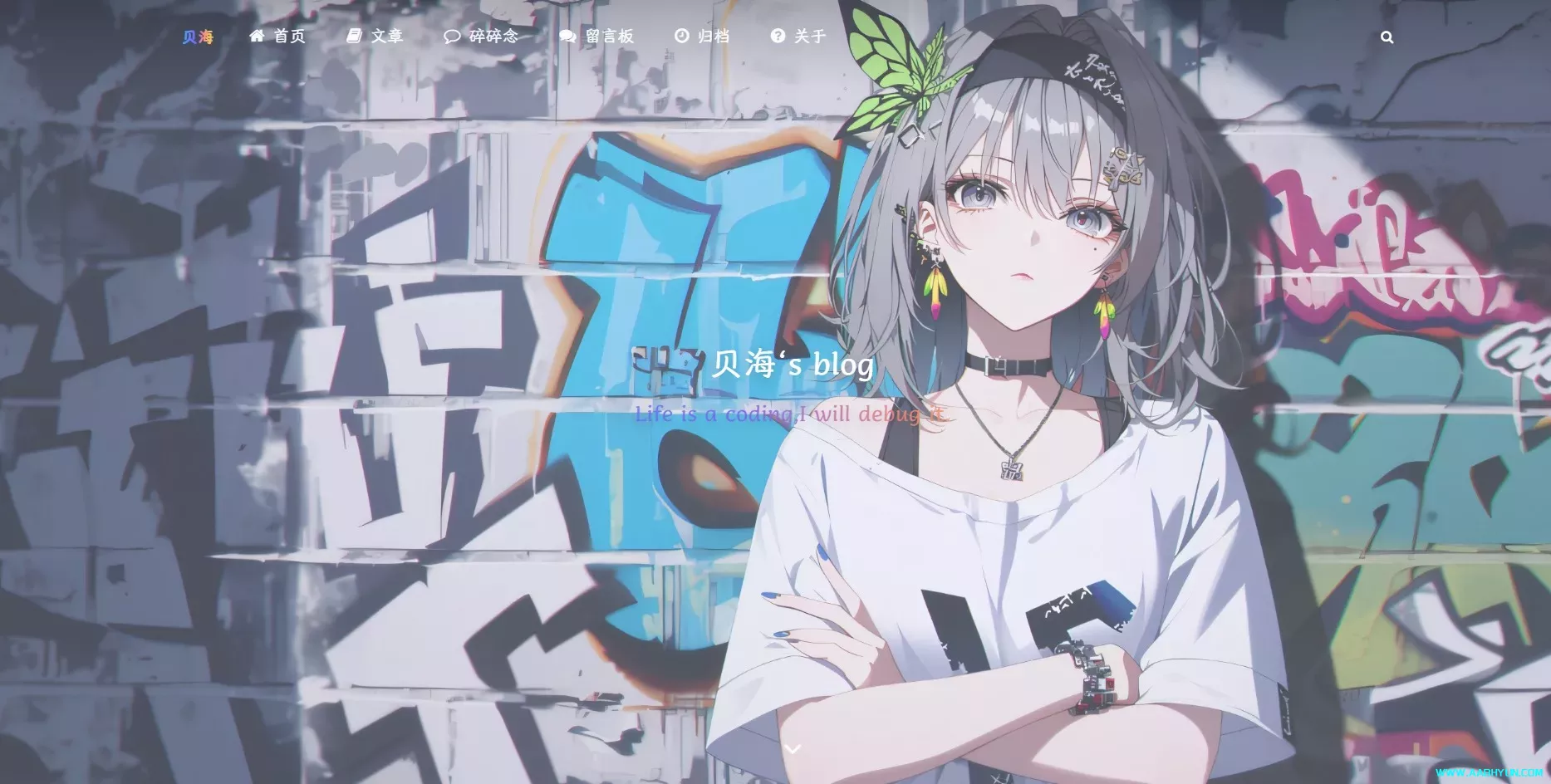
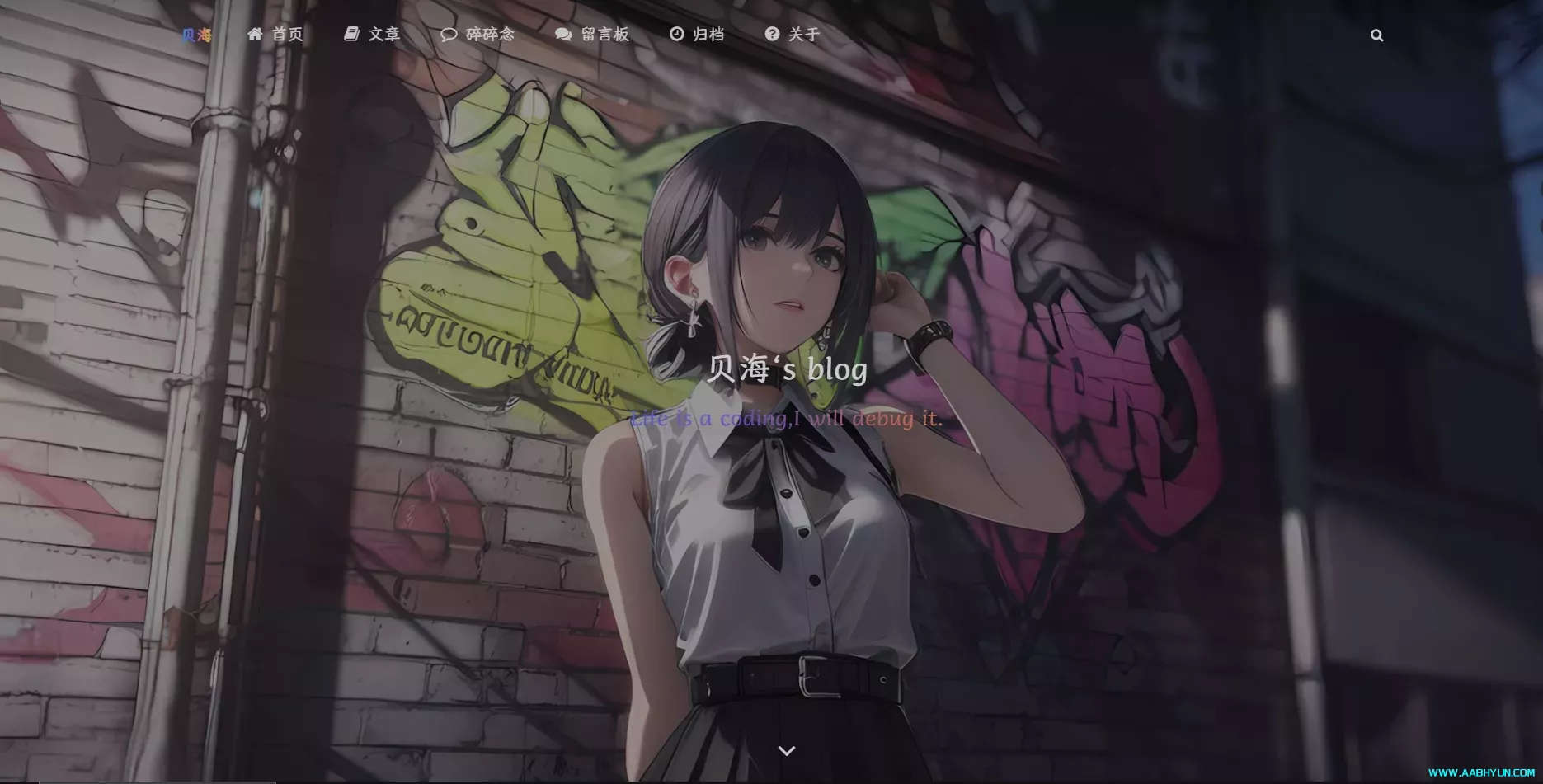
颜值拉满,质感出众:自带透明毛玻璃效果、卡片圆角设计,白天/黑夜双背景自由切换,适配各种博客风格(技术博、生活博、碎碎念都可),不用额外美化,默认就比普通主题高级10倍。
新手友好,零代码上手:支持一键导入配置(就像我教程里那样),不用手动调参数、改代码,所有功能可视化操作,哪怕是第一次用WordPress,也能快速搞定全部配置。
功能齐全,一步到位:自带菜单图标、年度倒计时、代码高亮、懒加载、评论美化等实用功能,还有页脚备案、运行时间统计,不用额外装一堆插件,轻量化不卡顿。
高度自定义,适配性强:主题颜色、字体、卡片阴影、布局都能自由调整,支持手机端自适应,不管是用电脑还是手机访问,体验都很流畅,还能根据自己的喜好改成专属风格。
免费好用,长期更新:核心功能全部免费,没有隐藏收费,作者持续更新维护,兼容最新版WordPress,不用担心用一段时间就失效,新手零成本起步无压力。
🔧 前期准备(必做)
1.一台服务器vps:(官网五折福利点我直达)
2.一个域名:(实测免费域名注册合集持续更新...)
4.能通过 IP 或绑定好的域名 访问网站
5.已经 绑定好数据库
6.已经 添加好网站账户、设置好密码
7.使用账号密码 登录 WordPress 后台
一、导入 Argon 主题设置
找到后台中的「Argon 主题设置」选项
点击设置页面右下角的「到底部」按钮(如果没看到这个按钮,就手动将页面向下滑动一点)
找到并点击「导入设置」按钮
{"argon_theme_color":"#5e72e4","argon_theme_color_hex_preview":"#5e72e4","argon_show_customize_theme_color_picker":true,"argon_enable_immersion_color":"true","argon_darkmode_autoswitch":"time","argon_enable_amoled_dark":"false","argon_card_radius":"15","argon_card_shadow":"default","argon_page_layout":"double","argon_article_list_waterflow":"1","argon_article_list_layout":"1","argon_font":"serif","argon_assets_path":"jsdelivr_fastly","argon_custom_assets_path":"","argon_wp_path":"/","argon_dateformat":"YMD","argon_enable_headroom":"true","argon_toolbar_title":"贝海","argon_toolbar_icon":"","argon_toolbar_icon_link":" ","argon_toolbar_blur":"true","argon_banner_title":"贝海‘s blog","argon_banner_subtitle":"Life is a coding,I will debug it.","argon_banner_size":"fullscreen","argon_page_background_banner_style":"transparent","argon_show_toolbar_mask":true,"argon_banner_background_url":"--bing--","argon_banner_background_color_type":"shape-primary","argon_banner_background_hide_shapes":true,"argon_enable_banner_title_typing_effect":"true","argon_banner_typing_effect_interval":"100","argon_page_background_url":"http://","argon_page_background_dark_url":"http:/","argon_page_background_opacity":"0.7","argon_sidebar_banner_title":"贝海公告栏","argon_sidebar_banner_subtitle":"孩儿立志出乡关,学不成名誓不还","argon_sidebar_auther_name":"贝海","argon_sidebar_auther_image":"http://","argon_sidebar_author_description":"痴迷于安全技术的小白帽","argon_sidebar_announcement":"记录自己技术增长过程的博客~","argon_fab_show_settings_button":"false","argon_fab_show_darkmode_button":"true","argon_fab_show_gotocomment_button":"false","argon_seo_description":"网站描述 (Description Meta 标签)","argon_seo_keywords":"搜索引擎关键词(Keywords Meta 标签)","argon_article_meta":"time|categories|views","argon_show_readingtime":"true","argon_reading_speed":"580","argon_reading_speed_en":"80","argon_reading_speed_code":"10","argon_show_thumbnail_in_banner_in_content_page":"false","argon_first_image_as_thumbnail_by_default":"true","argon_reference_list_title":"参考","argon_show_sharebtn":"true","argon_show_headindex_number":"false","argon_donate_qrcode_url":"","argon_additional_content_after_post":"文末附加内容","argon_related_post":"category,tag","argon_related_post_sort_orderby":"meta_value_num","argon_related_post_sort_order":"DESC","argon_related_post_limit":"10","argon_article_header_style":"article-header-style-2","argon_outdated_info_time_type":"createdtime","argon_outdated_info_days":"1","argon_outdated_info_tip_type":"inpost","argon_outdated_info_tip_content":"本文最后更新于%modify_date_delta% 天前,其中的信息可能已经过时,如有错误请发送邮件到big_fw@foxmail.com","argon_archives_timeline_show_month":"true","argon_archives_timeline_url":"","argon_footer_html":"<style>\n/* 核心样式 */\n.github-badge {\ndisplay: inline-block;\nborder-radius: 4px;\ntext-shadow: none;\nfont-size: 13.1px;\ncolor: #fff;\nline-height: 15px;\nmargin-bottom: 5px;\nfont-family: \"Open Sans\", sans-serif;\n}\n.github-badge .badge-subject {\ndisplay: inline-block;\nbackground-color: #4d4d4d;\npadding: 4px 4px 4px 6px;\nborder-top-left-radius: 4px;\nborder-bottom-left-radius: 4px;\nfont-family: \"Open Sans\", sans-serif;\n}\n.github-badge .badge-value {\ndisplay: inline-block;\npadding: 4px 6px 4px 4px;\nborder-top-right-radius: 4px;\nborder-bottom-right-radius: 4px;\nfont-family: \"Open Sans\", sans-serif;\n}\n.github-badge-big {\ndisplay: inline-block;\nborder-radius: 6px;\ntext-shadow: none;\nfont-size: 14.1px;\ncolor: #fff;\nline-height: 18px;\nmargin-bottom: 7px;\n}\n.github-badge-big .badge-subject {\ndisplay: inline-block;\nbackground-color: #4d4d4d;\npadding: 4px 4px 4px 6px;\nborder-top-left-radius: 4px;\nborder-bottom-left-radius: 4px;\n}\n.github-badge-big .badge-value {\ndisplay: inline-block;\npadding: 4px 6px 4px 4px;\nborder-top-right-radius: 4px;\nborder-bottom-right-radius: 4px;\n}\n.bg-orange {\nbackground-color: #ec8a64 !important;\n}\n.bg-red {\nbackground-color: #cb7574 !important;\n}\n.bg-apricots {\nbackground-color: #f7c280 !important;\n}\n.bg-casein {\nbackground-color: #dfe291 !important;\n}\n.bg-shallots {\nbackground-color: #97c3c6 !important;\n}\n.bg-ogling {\nbackground-color: #95c7e0 !important;\n}\n.bg-haze {\nbackground-color: #9aaec7 !important;\n}\n.bg-mountain-terrier {\nbackground-color: #99a5cd !important;\n}\n</style>\n \n<div class=\"github-badge-big\">\n<span class=\"badge-subject\"><i class=\"fa fa-id-card\"></i> 备案号 </span\n><span class=\"badge-value bg-orange\">\n<a href=\"https://beian.miit.gov.cn/\" target=\"_blank\" one-link-mark=\"yes\"\n>苏ICP备0000000000号</a\n>\n|\n<a\nhref=\"http://www.beian.gov.cn/portal/registerSystemInfo?recordcode= 32072202010255\"\ntarget=\"_blank\"\none-link-mark=\"yes\"\n>苏公网安备 00000000000000号</a\n></span\n>\n</div>\n<div class=\"github-badge-big\">\n <span class=\"badge-subject\"><i class=\"fa fa-cloud\" aria-hidden=\"true\"></i> CDN</span>\n <span class=\"badge-value bg-shallots\">\n <a href=\"https://www.upyun.com/\" target=\"_blank\" one-link-mark=\"yes\">Upyun</a>\n </span>\n<span class=\"badge-subject\"><i class=\"fa fa-wordpress\"></i> Powered</span\n><span class=\"badge-value bg-green\"\n><a href=\"https://cn.wordpress.org/\" target=\"_blank\" one-link-mark=\"yes\"\n>WordPress</a\n></span\n>\n</div>\n<div class=\"github-badge-big\">\n<span class=\"badge-subject\">Copyright </span\n><span class=\"badge-value bg-red\">\n2022-2022\n<i class=\"fa fa-copyright\"></i> Fawang</span\n>\n</script>\n</div>\n<div class=\"github-badge-big\">\n<span class=\"badge-subject\"><i class=\"fa fa-clock-o\"></i> Running Time</span\n><span class=\"badge-value bg-apricots\"\n><span id=\"blog_running_days\" class=\"odometer odometer-auto-theme\"></span>\ndays\n<span id=\"blog_running_hours\" class=\"odometer odometer-auto-theme\"></span> H\n<span id=\"blog_running_mins\" class=\"odometer odometer-auto-theme\"></span> M\n<span id=\"blog_running_secs\" class=\"odometer odometer-auto-theme\"></span>\nS</span\n>\n <script no-pjax=\"\">\nvar blog_running_days = document.getElementById(\"blog_running_days\");\nvar blog_running_hours = document.getElementById(\"blog_running_hours\");\nvar blog_running_mins = document.getElementById(\"blog_running_mins\");\nvar blog_running_secs = document.getElementById(\"blog_running_secs\");\nfunction refresh_blog_running_time() {\nvar time = new Date() - new Date(2020, 0,0, 0, 0, 0);\nvar d = parseInt(time / 24 / 60 / 60 / 1000);\nvar h = parseInt((time % (24 * 60 * 60 * 1000)) / 60 / 60 / 1000);\nvar m = parseInt((time % (60 * 60 * 1000)) / 60 / 1000);\nvar s = parseInt((time % (60 * 1000)) / 1000);\nblog_running_days.innerHTML = d;\nblog_running_hours.innerHTML = h;\nblog_running_mins.innerHTML = m;\nblog_running_secs.innerHTML = s;\n}\nrefresh_blog_running_time();\nif (typeof bottomTimeIntervalHasSet == \"undefined\") {\nvar bottomTimeIntervalHasSet = true;\nsetInterval(function () {\nrefresh_blog_running_time();\n}, 500);\n}\n</script>\n<!--live2d--> \n<script src=\"/wp-content/themes/argon/argon/live2d/TweenLite.js\"></script> \n<script src=\"/wp-content/themes/argon/argon/live2d/live2dcubismcore.min.js\"></script>\n<script src=\"/wp-content/themes/argon/argon/live2d/pixi.min.js\"></script> \n<script src=\"/wp-content/themes/argon/argon/live2d/cubism4.min.js\"></script> \n<link href=\"/wp-content/themes/argon/argon/live2d/pio.css\" rel=\"stylesheet\" type=\"text/css\"/> \n<script src=\"/wp-content/themes/argon/argon/live2d/pio.js\"></script> \n<script src=\"/wp-content/themes/argon/argon/live2d/pio_sdk4.js\"></script> \n<script src=\"/wp-content/themes/argon/argon/live2d/load.js\"></script>","argon_enable_code_highlight":"true","argon_code_theme":"vs2015","argon_code_highlight_hide_linenumber":"true","argon_code_highlight_break_line":"false","argon_code_highlight_transparent_linenumber":"false","argon_math_render":"none","argon_mathjax_cdn_url":"//cdn.jsdelivr.net/npm/mathjax@3/es5/tex-chtml-full.js","argon_mathjax_v2_cdn_url":"//cdn.jsdelivr.net/npm/mathjax@2.7.5/MathJax.js?config=TeX-AMS_HTML","argon_katex_cdn_url":"//cdn.jsdelivr.net/npm/katex@0.11.1/dist/","argon_enable_lazyload":"true","argon_lazyload_threshold":"800","argon_lazyload_effect":"fadeIn","argon_lazyload_loading_style":"1","argon_enable_fancybox":"true","argon_enable_zoomify":"false","argon_zoomify_duration":"200","argon_zoomify_easing":"cubic-bezier(0.4,0,0,1)","argon_zoomify_scale":"0.9","argon_enable_pangu":"article","argon_custom_html_head":"","argon_custom_html_foot":"","argon_enable_smoothscroll_type":"1_pulse","argon_enable_into_article_animation":"true","argon_disable_pjax_animation":"false","argon_comment_pagination_type":"page","argon_comment_emotion_keyboard":"true","argon_hide_name_email_site_input":"false","argon_comment_need_captcha":"false","argon_get_captcha_by_ajax":"false","argon_comment_allow_markdown":"true","argon_comment_allow_editing":"true","argon_comment_allow_privatemode":"true","argon_comment_allow_mailnotice":"true","argon_comment_mailnotice_checkbox_checked":true,"argon_comment_enable_qq_avatar":"true","argon_comment_avatar_vcenter":"false","argon_who_can_visit_comment_edit_history":"commentsender","argon_enable_comment_pinning":"true","argon_enable_comment_upvote":"true","argon_comment_ua":"platform,browser","argon_show_comment_parent_info":"true","argon_fold_long_comments":"true","argon_gravatar_cdn":"","argon_text_gravatar":"true","argon_enable_search_filters":"true","argon_search_filters_type":"*post,*page,shuoshuo","argon_pjax_disabled":"false","argon_hide_categories":"","argon_enable_login_css":"true","argon_home_show_shuoshuo":"false","argon_fold_long_shuoshuo":"true","argon_enable_timezone_fix":"false","argon_hide_shortcode_in_preview":"true","argon_trim_words_count":"0","argon_enable_mobile_scale":"false","argon_disable_googlefont":"false","argon_disable_codeblock_style":"false","argon_update_source":"github","argon_hide_footer_author":"true"}将复制的内容粘贴到 Argon 主题的「导入设置」输入框中
先点击「确定」按钮,再点击「保存更改」按钮完成导入
二、更换网站图标(Favicon)
在后台左侧菜单栏点击「外观」
选择「自定义」选项,进入自定义设置界面
在自定义界面中找到「站点身份」选项并点击
找到「站点图标」区域,点击「上传文件」按钮,选择你准备好的图标文件上传
上传完成后确认更换,最后点击「发布」按钮保存设置
三、添加网站导航菜单
步骤 1:创建文章分类目录
点击后台左侧「文章」选项
选择「分类目录」子菜单
删除或修改默认的第一个分类:将其名称改为「首页」(分类别名可自定义,比如填
home)点击「添加新分类」,依次创建以下分类:
名称:文章(别名可填
article)名称:碎碎念(别名可填
chat)名称:留言板(别名可填
message)名称:关于(别名可填
about)
步骤 2:创建并配置导航菜单
点击后台左侧「外观」选项
选择「菜单」子菜单
在「菜单名称」输入框中填写:网站导航
在「菜单项」区域,点击「分类目录」选项
点击「查看所有」,勾选所有创建好的分类(首页、文章、碎碎念、留言板、关于)
点击「添加至菜单」按钮,将选中的分类添加到菜单中
最后点击「保存菜单」按钮
四、配置网站额外 CSS 样式(含透明设置)
点击后台左侧「外观」选项
选择「自定义」选项
在自定义界面中找到「额外 CSS」选项并点击
/*网站字体*/
/*原则上你可以设置多个字体,然后在不同的部位使用不同的字体。*/
@font-face{
    font-family:echo;
src:url(https://fastly.jsdelivr.net/gh/huangwb8/bloghelper@latest/fonts/13.woff2) format('woff2')
}

body{
		font-family: 'echo', Georgia, -apple-system, 'Nimbus Roman No9 L', 'PingFang SC', 'Hiragino Sans GB', 'Noto Serif SC', 'Microsoft Yahei', 'WenQuanYi Micro Hei', 'ST Heiti', sans-serif
}

/*横幅字体大小*/
.banner-title {
  font-size: 2.5em;
}
.banner-subtitle{
  font-size: 28px;

	-webkit-text-fill-color: transparent;
background: linear-gradient(94.75deg,rgb(60, 172, 247) 0%,rgb(131, 101, 253) 43.66%,                rgb(255, 141, 112) 64.23%,rgb(247, 201, 102) 83.76%,rgb(172, 143, 100) 100%);
-webkit-background-clip: text;
}

/*文章标题字体大小*/
.post-title {
    font-size: 25px
}

/*正文字体大小(不包含代码)*/
.post-content p{
    font-size: 1.25rem;
}
li{
    font-size: 1.2rem;

}

/*评论区字体大小*/
p {
    font-size: 1.2rem

}

/*评论发送区字体大小*/
.form-control{
    font-size: 1.2rem
}

/*评论勾选项目字体大小*/
.custom-checkbox .custom-control-input~.custom-control-label{
    font-size: 1.2rem
}
/*评论区代码的强调色*/
code {
  color: rgba(var(--themecolor-rgbstr));
}

/*说说字体大小和颜色设置*/
.shuoshuo-title {
    font-size: 25px;
/*  color: rgba(var(--themecolor-rgbstr)); */
}

/*尾注字体大小*/
.additional-content-after-post{
    font-size: 1.2rem
}

/* 公告居中 */
.leftbar-announcement-title {
    font-size: 20px;
/*     text-align: center; */
 				color: #00FFFF
}

.leftbar-announcement-content {
    font-size: 15px;
    line-height: 1.8;
    padding-top: 8px;
    opacity: 0.8;
/*     text-align: center; */
			color:#00FFFF;
}

/* 一言居中 */
.leftbar-banner-title {
    font-size: 20px;
    display: block;
    text-align: center;
		opacity: 0.8;
}

/* 个性签名居中 */
.leftbar-banner-subtitle {
    margin-top: 15px;
    margin-bottom: 8px;
    font-size: 13px;
    opacity: 0.8;
    display: block;
    text-align: center;
}

/*========颜色设置===========*/

/*文章或页面的正文颜色*/
body{
    color:#364863
}

/*引文属性设置*/
blockquote {
    /*添加弱主题色为背景色*/
    background: rgba(var(--themecolor-rgbstr), 0.1) !important;
    width: 100%
}

/*引文颜色 建议用主题色*/
:root {
    /*也可以用类似于--color-border-on-foreground-deeper: #009688;这样的命令*/
    --color-border-on-foreground-deeper: rgba(var(--themecolor-rgbstr));
}

/*左侧菜单栏突出颜色修改*/
.leftbar-menu-item > a:hover, .leftbar-menu-item.current > a{
    background-color: #f9f9f980;
}

/*站点概览分隔线颜色修改*/
.site-state-item{
    border-left: 1px solid #aaa;
}
.site-friend-links-title {
    border-top: 1px dotted #aaa;
}
#leftbar_tab_tools ul li {
    padding-top: 3px;
    padding-bottom: 3px;
    border-bottom:none;
}
html.darkmode #leftbar_tab_tools ul li {
    border-bottom:none;
}

/*左侧栏搜索框的颜色*/
button#leftbar_search_container {
    background-color: transparent;
}

/*========透明设置===========*/

/*白天卡片背景透明*/
.card{
    background-color:rgba(255, 255, 255, 0.8) !important;
    /*backdrop-filter:blur(6px);*//*毛玻璃效果主要属性*/
    -webkit-backdrop-filter:blur(6px);
}

/*小工具栏背景完全透明*/
/*小工具栏是card的子元素,如果用同一个透明度会叠加变色,故改为完全透明*/
.card .widget,.darkmode .card .widget,#post_content > div > div > div.argon-timeline-card.card.bg-gradient-secondary.archive-timeline-title{
    background-color:#ffffff00 !important;
    backdrop-filter:none;
    -webkit-backdrop-filter:none;
}
.emotion-keyboard,#fabtn_blog_settings_popup{
    background-color:rgba(255, 255, 255, 0.95) !important;
}

/*分类卡片透明*/
.bg-gradient-secondary{
    background:rgba(255, 255, 255, 0.1) !important;
    backdrop-filter: blur(10px);
    -webkit-backdrop-filter:blur(10px);
}

/*夜间透明*/
html.darkmode.bg-white,html.darkmode .card,html.darkmode #footer{
    background:rgba(66, 66, 66, 0.9) !important;
}
html.darkmode #fabtn_blog_settings_popup{
    background:rgba(66, 66, 66, 0.95) !important;
}

/*标签背景
.post-meta-detail-tag {
    background:rgba(255, 255, 255, 0.5)!important;
}*/


/*========排版设置===========*/

/*左侧栏层级置于上层*/
#leftbar_part1 {
    z-index: 1;
}

/*分类卡片文本居中*/
#content > div.page-information-card-container > div > div{
    text-align:center;
}

/*子菜单对齐及样式调整*/
.dropdown-menu .dropdown-item>i{
    width: 10px;
}
.dropdown-menu>a {
    color:var(--themecolor);
}
.dropdown-menu{
    min-width:max-content;
}
.dropdown-menu .dropdown-item {
    padding: .5rem 1.5rem 0.5rem 1rem;
}
.leftbar-menu-subitem{
    min-width:max-content;
}
.leftbar-menu-subitem .leftbar-menu-item>a{
    padding: 0rem 1.5rem 0rem 1rem;
}

/*左侧栏边距修改*/
.tab-content{
    padding:10px 0px 0px 0px !important;
}
.site-author-links{
    padding:0px 0px 0px 10px ;
}
/*目录位置偏移修改*/
#leftbar_catalog{
    margin-left: 0px;
}
/*目录条目边距修改*/
#leftbar_catalog .index-link{
    padding: 4px 4px 4px 4px;
}
/*左侧栏小工具栏字体缩小*/
#leftbar_tab_tools{
    font-size: 14px;
}

/*正文图片边距修改*/
article figure {margin:0;}
/*正文图片居中显示*/
.fancybox-wrapper {
    margin: auto;
}
/*正文表格样式修改*/
article table > tbody > tr > td,
article table > tbody > tr > th,
article table > tfoot > tr > td,
article table > tfoot > tr > th,
article table > thead > tr > td,
article table > thead > tr > th{
    padding: 8px 10px;
    border: 1px solid;
}
/*表格居中样式*/
.wp-block-table.aligncenter{margin:10px auto;}

/*回顶图标放大*/
button#fabtn_back_to_top, button#fabtn_go_to_comment, button#fabtn_toggle_blog_settings_popup, button#fabtn_toggle_sides, button#fabtn_open_sidebar{
    font-size: 1.2rem;
}

/*顶栏菜单放大*/
/*这里也可以设置刚刚我们设置的btfFont字体。试试看!*/

.navbar-nav .nav-link {
    font-size: 1rem;
    font-family: 'echo';

}
.navbar-brand {
	font-family: 'echo';
    font-size: 1.2rem;
    margin-right: 1.0 rem;
    padding-bottom: 0.2 rem;

	-webkit-text-fill-color: transparent;
background: linear-gradient(94.75deg,rgb(60, 172, 247) 0%,rgb(131, 101, 253) 43.66%,                rgb(255, 141, 112) 64.23%,rgb(247, 201, 102) 83.76%,rgb(172, 143, 100) 100%);
-webkit-background-clip: text;
}

/*菜单大小*/
.nav-link-inner--text {
    font-size: 1.25em;
}
.navbar-nav .nav-item {
    margin-right:0;
}
.mr-lg-5, .mx-lg-5 {
    margin-right:1rem !important;
}
.navbar-toggler-icon {
    width: 1.8rem;
    height: 1.8rem;
}
/*菜单间距*/
.navbar-expand-lg .navbar-nav .nav-link {
    padding-right: 1.4em;
    padding-left: 1.4em;
}

/*隐藏wp-SEO插件带来的线条阴影(不一定要装)*/
*[style='position: relative; z-index: 99998;'] {
    display: none;
}

/* Github卡片样式*/
.github-info-card-header a {
    /*Github卡片抬头颜色*/
    color: black !important;
    font-size: 1.5rem;
}
.github-info-card {
    /*Github卡片文字(非链接)*/
    font-size: 1rem;
    color: black !important;
}
.github-info-card.github-info-card-full.card.shadow-sm {
    /*Github卡片背景色*/
    background-color: rgba(var(--themecolor-rgbstr), 0.1) !important;
}

/*      左侧栏外观CSS     */

/* 头像 */
#leftbar_overview_author_image {
    width: 100px;
    height: 100px;
    margin: auto;
    background-position: center;
    background-repeat: no-repeat;
    background-size: cover;
    background-color: rgba(127, 127, 127, 0.1);
    overflow: hidden;
    transition: transform 0.3s ease;
}

/*  头像亮暗  */
#leftbar_overview_author_image:hover {
	transform: scale(1.23);
	filter: brightness(150%);
}

/* 名称 */
#leftbar_overview_author_name {
  	margin-top: 15px;
	font-size: 18px;align-content;
	color:#00FFFF;
}

/* 简介 */
#leftbar_overview_author_description {
    font-size: 14px;
    margin-top: -4px;
    opacity: 0.8;
	color:#c21f30;
}

/* 标题,链接等 */
a, .btn-neutral {
    color:#AF7AC5 ;

}

/* 页脚透明 */
#footer {
    background: var(--themecolor-gradient);
    color: #fff;
    width: 100%;
    float: right;
    margin-bottom: 25px;
    text-align: center;
    padding: 25px 20px;
    line-height: 1.8;
    transition: none;
    opacity: 0.6;
}
将复制的内容粘贴到「额外 CSS」的输入框中
点击「发布」按钮保存样式设置
五、设置后台个人头像及资料
点击后台左侧「插件」选项
选择「添加新插件」子菜单
在搜索框中输入「User Profile Picture」,点击搜索
找到该插件后,点击「现在安装」,安装完成后点击「启用」
点击后台左侧「用户」选项,选择「个人资料」子菜单
找到「Profile Image」区域,点击上传按钮,选择你准备好的头像图片上传
向下滚动页面,找到「管理配色方案」选项,选择「argon」
按需修改「名字」「昵称」,并设置「公开显示为」为你的邮箱地址
点击页面最下方的「更新个人资料」按钮保存设置
六、上传并设置网站日夜模式背景图
点击后台左侧「媒体」选项,选择「添加文件」子菜单
点击「上传文件」按钮,分别上传你准备好的「白天背景图」和「黑夜背景图」
上传完成后,点击对应的图片,在弹出的窗口中找到「文件 URL」,复制该链接
回到后台,找到「Argon 主题选项」并点击
在主题选项右侧的「大纲」中找到「页面背景」选项并点击
将白天背景图的 URL 粘贴到「页面背景」输入框中
将黑夜背景图的 URL 粘贴到「页面背景 (夜间模式时)」输入框中
保存主题设置
七、给导航菜单添加图标
在配置导航菜单时(参考第三步),编辑对应菜单项的「导航标签」,将默认文字替换为以下带图标的代码(按需选择):
<i class="fa fa-home"></i>首页
<i class="fa fa-book" aria-hidden="true"></i>文章
<i class="fa fa-comment-o" aria-hidden="true"></i>碎碎念
<i class="fa fa-question-circle" aria-hidden="true"></i>关于
<i class="fa fa-comments" aria-hidden="true"></i>留言板
<i class="fa fa-youtube-play" aria-hidden="true"></i>bilibili主页
<i class="fa fa-clock-o" aria-hidden="true"></i>归档
操作提示:编辑菜单项时,找到「导航标签」输入框,替换内容后保存菜单即可。
八、添加年度倒计时显示功能
点击后台左侧「外观」选项
在左侧栏的自定义选项中,找到「工具」分类下的「简码」选项并点击
将以下完整代码复制粘贴到简码输入框中,保存设置:
<div class="progress-wrapper" style="padding: 0">
<div class="progress-info">
<div class="progress-label">
<span id="yearprogress_yearname"></span>
</div>
<div id="yearprogress_text_container" class="progress-percentage">
<span id="yearprogress_progresstext"></span>
<span id="yearprogress_progresstext_full"></span>
</div>
</div>
<div class="progress">
<div id="yearprogress_progressbar" class="progress-bar bg-primary"></div>
</div>
</div>
<script no-pjax="">
function yearprogress_refresh() {
let year = new Date().getFullYear();
$("#yearprogress_yearname").text(year);
let from = new Date(year, 0, 1, 0, 0, 0);
let to = new Date(year, 11, 31, 23, 59, 59);
let now = new Date();
let progress = (((now - from) / (to - from + 1)) * 100).toFixed(7);
let progressshort = (((now - from) / (to - from + 1)) * 100).toFixed(2);
$("#yearprogress_progresstext").text(progressshort + "%");
$("#yearprogress_progresstext_full").text(progress + "%");
$("#yearprogress_progressbar").css("width", progress + "%");
}
yearprogress_refresh();
if (typeof yearProgressIntervalHasSet == "undefined") {
var yearProgressIntervalHasSet = true;
setInterval(function () {
yearprogress_refresh();
}, 500);
}
</script>
<style>
#yearprogress_text_container {
width: 100%;
height: 22px;
overflow: hidden;
user-select: none;
}
#yearprogress_text_container > span {
transition: all 0.3s ease;
display: block;
}
#yearprogress_text_container:hover > span {
transform: translateY(-45px);
}
</style>
总结
操作前务必完成「访问后台、绑定数据库、创建账户」这三个基础准备工作,否则后续步骤无法进行;
所有涉及「复制文件内容」的步骤(导入主题设置、配置 CSS),需确保本地文件路径正确,内容完整复制;
核心配置流程:导入主题设置 → 基础外观配置(图标、导航、CSS) → 个性化设置(头像、背景、倒计时),建议按教程顺序操作,避免遗漏。
评论区